NaN Commentaires
243 Télécharger
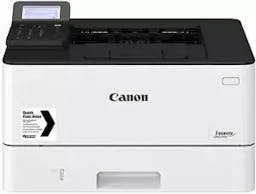
Pilote pour imprimante Canon i-SENSYS LBP223dw - Télécharger
Auteur
Canon
mise à jour
18 décembre 2023
Taille de fichier
64 MB
Version
V2.90
Opération Système
Windows et Mac
Sur cette page, vous trouverez un lien de téléchargement pour le pilote Canon i-SENSYS LBP223dw. Toutes les plateformes compatibles : Windows 64 bits - 7/8/10/11 et Mac.
Details Pilote et Logiciels pour Windows
- Catégorie: Imprimante
- Producteur : Canon
- Gamme de produits:i-SENSYS LBP223dw
- Nom du fichier: GPlus_PCL6_Driver_V240_32_64_00.exe
- Date de sortie: 19 avril 2021
- Version du fichier: V2.40
- Taille de fichier: 18 MB
Système d’exploitation Windows:
Système d’exploitation: Windows 11, Windows 10 32-bit, Windows 10 64-bit, Windows 8.1 32-bit, Windows 8.1 64-bit, Windows 8 32-bit, Windows 8 64-bit, Windows 7 32-bit, Windows 7 64-bit, Windows Vista 32-bit, Windows Vista 64-bit
Télécharger Pilotes CANON i-SENSYS LBP223dw Imprimante Windows
Pilote imprimante (PCL 6) pour (Windows 64 bit) Télécharger
Pilote imprimante (PCL 6) pour (Windows 32 bit) Télécharger
Details Pilote et Logiciels pour Mac OS
- Catégorie: Imprimante
- Producteur : Canon
- Gamme de produits:i-SENSYS LBP223dw
- Nom du fichier: mac-UFRII-LIPSLX-v10198-07.dmg
- Date de sortie: 26 avril 2021
- Version du fichier: V10.19.8
- Taille de fichier: 33 MB
Système d’exploitation: Mac OS 10.15 Catalina, Mac OS 10.14 Mojave, Mac OS 10.13 High Seirra , Mac OS 10.12 Seirra, Mac OS X v10.11 El Capitan, Mac OS X v10.10 Yosemite, Mac OS X v10.9 Mavericks, Mac OS X v10.8 Mountain Lion, Mac OS X v10.7 Lion.
Télécharger Pilotes CANON i-SENSYS LBP223dw Imprimante Mac OS
Pilote imprimante (UFRII LT) pour Mac OS Télécharger
Installer des pilotes et des logiciels pour Windows
Les instructions ci-dessous vous expliquent comment télécharger un fichier compressé et comment le décompresser.
- 1- Cliquez sur le lien. Le téléchargement démarre automatiquement.
- 2- Le fichier est enregistré sur le bureau de votre ordinateur.
- 3- Double-cliquez sur le fichier pour monter l’image disque.
- 4- Double-cliquez sur l’image disque montée.
- 5- Double-cliquez sur le fichier d’installation se trouvant dans le dossier. L’installation se lance automatiquement.
Critiques d'utilisateurs
0
0 Critiques d'utilisateurs